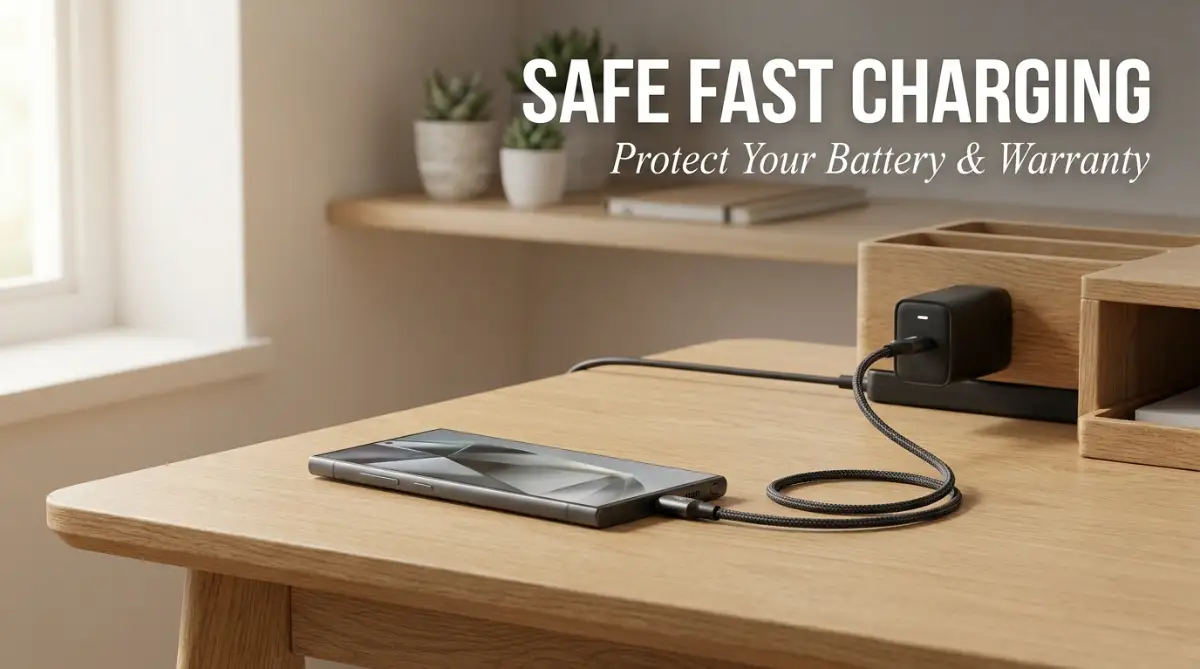
The Sudden Battery Panic: When Your Official Charger Breaks
You just spent a fortune on a flagship phone—maybe the new iPhone 15 Pro or a Galaxy S24 Ultra. The camera is insanely good, and everything feels incredibly smooth. But then, reality hits.
Apple and Samsung suddenly decided chargers shouldn't come in the box anymore. Or worse, the flimsy cable they gave you just broke after a few months. You hop online, and the official replacement costs a ridiculous amount. Right below it? A highly-rated third-party fast charger for half the price.
Your hand hovers over the "Add to Cart" button, but a sudden wave of anxiety hits you. Will this cheaper option completely fry my expensive battery? Will my phone overheat and become a fire hazard while I sleep?
Most importantly, you ask yourself: Will the smartphone manufacturer laugh in my face and cancel my warranty if they find out I used a different brand? These are entirely valid fears. The internet is full of horror stories about phones catching fire or batteries degrading rapidly.
I actually had a mini panic attack last year right before a weekend trip. My original charger died, and I instantly blew 5,000 Taka on an "official" adapter just because some random tech forum scared me into thinking a cheaper one would fry my motherboard. Honestly? It was pure paranoia. I realized later that understanding how safe charging adapters work could have saved me a ton of cash.
We are constantly told by big tech companies that we must only buy their official accessories. They use fear to push you toward their expensive products. As a result, you feel trapped between spending an unreasonable amount of money or risking your beloved device.
You are not alone in feeling this way. I have seen countless users overpay for accessories just out of pure fear. Today, I am going to share the exact truth about how mobile charging works. Let us break down the science of fast charging and protect both your wallet and your peace of mind.
Decoding the Power Delivery Mystery: What Smartphone Makers Hide
To truly solve this problem, we need to understand what actually happens when you plug your phone into a wall outlet. Let me share a secret that big tech companies rarely say out loud. Your modern smartphone is incredibly smart, often smarter than the charger itself.
In the early days of mobile technology, chargers pumped a blind amount of electricity into the battery. If the charger was too powerful, the phone would overheat, and the battery could easily get damaged. That is where the old fear originally started.
Today, the technology has completely changed. Modern premium smartphones have built-in power management chips. These tiny internal computers control exactly how much electricity enters the device.
The Digital Handshake: How Your Phone Protects Itself
Modern fast charging isn't just dumping electricity into your battery. It's more like a smart negotiation. When you plug in a USB-PD certified charger, your phone acts like a bouncer at a club. The charger says, "Hey, I have 65 watts of power," and your phone replies, "Cool, but I only need 25 watts right now." The charger obeys. It won't push a single extra watt unless your phone explicitly asks for it.
When you plug in a high-quality third-party fast charger, it does not just force electricity into your phone. Instead, the charger and the smartphone perform a rapid "digital handshake."
The phone says, "I can safely handle 25 watts of power right now." The charger replies, "Understood, sending exactly 25 watts." As your battery gets fuller, the phone asks the charger to slow down the power flow to prevent overheating.
If a charger tries to push too much power, your phone simply rejects it. This built-in safety mechanism is exactly why using a higher-wattage third-party charger will not blow up your device.
Before we talk about warranty myths, you really need to watch this awesome video that visually explains exactly how fast charging works and why your phone is actually the boss of the charger.
Myth vs Reality: The Fear of Voiding Your Warranty
Let us clear up the biggest fear right now. Using a certified non-brand charger does not automatically cancel your warranty. It is a massive myth designed to keep you buying original accessories.
In many countries, there are strict consumer protection laws that stop companies from doing this. For example, in the United States, the Magnuson-Moss Warranty Act prevents manufacturers from forcing you to use their specific brand of parts.
If your smartphone battery naturally fails due to a manufacturing defect, the company must honor the warranty. They cannot simply deny your claim just because you admit to using a popular third-party charging brick.
However, there is a massive catch that you must understand. The warranty protection only applies if you use a certified and safe alternative. If you buy a two-dollar, unbranded counterfeit charger from a gas station and it physically melts your charging port, the manufacturer will definitely not cover that damage.
They will easily see the burn marks and classify it as "user-inflicted damage." So, the goal is not to buy the cheapest charger available. The goal is to buy a premium third-party charger that meets all global safety standards.
The Danger Zone: Identifying Fake vs Certified Alternatives
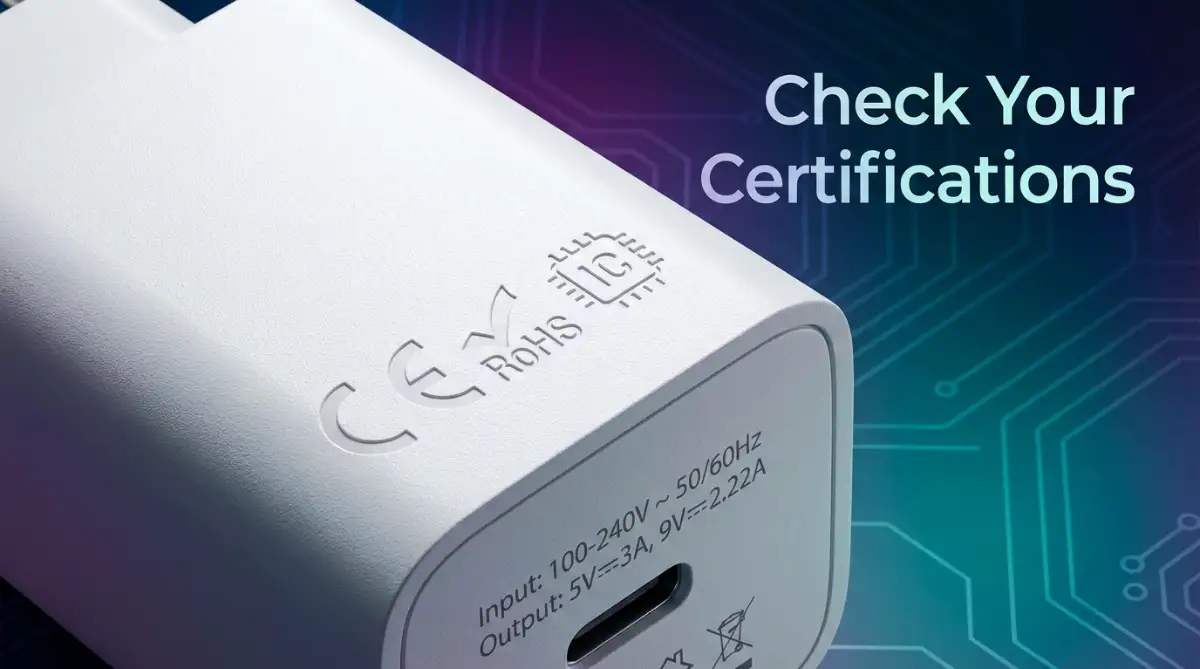
How do you know which third-party chargers are safe and which ones are dangerous? The secret lies in the packaging and the tiny text printed on the charger itself.
A reliable third-party brand invests millions of dollars in research, development, and safety testing. They use high-quality materials to prevent electrical shorts. Cheap knockoffs cut every possible corner to save a few cents.
Cheap chargers lack temperature sensors. They do not have surge protection to stop a sudden power spike from reaching your phone. This is exactly why cheap chargers get dangerously hot to the touch.
Real-Life Scenario: The Airport Emergency
Let me give you a practical scenario. You are stuck at an airport, and your phone is at two percent battery. You see an electronics kiosk selling a charger from a well-known brand like Anker, Ugreen, or Belkin.
You can easily trust brands like Anker, Ugreen, or Baseus. In fact, if you watch tech reviews on YouTube or TikTok lately, you'll see everyone raving about GaN technology chargers. They use Gallium Nitride, which means the charger stays ice-cold even when it's pumping out heavy wattage while you're gaming on PUBG Mobile.
On the other hand, imagine you are at a random street market. Someone offers you an unboxed charger that looks identical to an official Apple or Samsung plug, but it costs almost nothing. Walk away immediately.
These counterfeit products are the ones responsible for those terrifying battery explosions you see on the news. They try to trick your phone's safety chips, sending unstable voltage that slowly ruins your battery's internal chemistry over a few weeks.
Pro-Tip: Look for the Magic Acronyms
To ensure your third-party charger is 100% safe, you need to look for specific industry standards. The most important one to check for is USB-PD (Power Delivery).
This is the universal standard for fast charging adopted by almost every major tech company today. If the box says "USB-PD Certified," you know it can perform that safe "digital handshake" with your phone.
Another excellent term to look for is PPS (Programmable Power Supply). This is a highly advanced charging technology that makes real-time adjustments to the voltage based on your phone's current heat levels.
If your Android phone supports super-fast charging, a PPS-certified third-party charger is an absolute must-have. It keeps your device incredibly cool while filling the battery at record speeds.
For Apple users, you always want to look for the MFi (Made for iPhone) badge when buying cables. This badge means Apple has officially tested the accessory and verified that it meets their strict safety protocols. Using an MFi cable with a trusted third-party brick is the ultimate combination for safety and affordability.
By understanding these simple terms, you take all the guesswork out of buying accessories. You will never have to feel anxious about plugging your phone into the wall again. You are now equipped with the exact knowledge that tech experts use every single day.
Expert Strategies for Extending Your Smartphone Battery Life
Now that you know a certified third-party charger will not void your warranty, we need to talk about long-term hardware care. Buying a safe power adapter is only the first piece of the puzzle. You also need to adopt smart charging habits to keep your internal battery perfectly healthy.
Most people completely ignore how they charge their devices until the battery starts dying rapidly. Let us change that right now. I am going to share some highly effective, science-backed strategies to maximize your battery lifespan.
The Unsung Hero: Why Your Cable Matters Just as Much
A premium third-party charging brick is useless if you pair it with a terrible cable. Think of the power adapter as a water pump and the cable as the hose. If the hose is leaky or too narrow, the water will not flow properly.
Many users spend good money on an Anker or Ugreen adapter but continue using a frayed, two-dollar cable they found in a drawer. This is a massive mistake that causes charging errors. Cheap cables lack the proper internal wiring to handle high-wattage power safely.
I used to be that guy who bought a premium 65W brick but used a flimsy 150-taka cable I bought from a local store. Then I'd get frustrated when my phone took three hours to charge. The cable was literally bottlenecking the power! If you want real speed, you absolutely need a high-quality USB-C fast charging cable. I switched to a braided nylon one, and it’s been a total game-changer.
When you use a low-quality cable, electrical resistance builds up quickly. This resistance generates excess heat, which flows directly into your phone’s charging port. To ensure completely safe power delivery, always look for cables that are officially certified by the USB Implementers Forum (USB-IF), which sets the global standards for safe USB connectivity.
Pro Tip: Look for braided nylon cables instead of basic plastic ones. Braided cables protect the internal copper wires from bending and snapping, ensuring a stable connection for years.
The Golden 20-80 Rule Explained
You have probably heard that you should never charge your phone to 100%. But do you know the actual science behind this advice? Lithium-ion batteries absolutely hate extreme conditions.
Think of your phone battery like a human stomach. If you are completely starving (0% battery), you feel terrible and stressed. If you eat until you are painfully stuffed (100% battery), you also feel awful.
Your smartphone battery feels the most "comfortable" when it stays between 20% and 80% charged. Pushing a battery from 80% to 100% requires significantly more voltage. This extra effort generates unnecessary heat and wears down the chemical structure inside the battery cells.
If you're someone who practically lives on their phone—scrolling through Instagram reels, managing WhatsApp business groups, or editing videos on CapCut—battery life is everything. Consistently maxing it out to 100% just slowly ruins your smartphone battery health over time. I usually try to unplug mine around 80% or 85%.
Real-Life Scenario: The Hot Car Disaster
Let us imagine a very common situation. You are driving to a new city using your phone for GPS navigation. The sun is shining directly through the windshield onto your device.
At the same time, you have the phone plugged into a fast charger in your car. This combination is an absolute nightmare for your battery health. Fast charging naturally generates a small amount of heat.
When you combine charging heat with direct sunlight and the heavy processing power needed for GPS, your phone turns into a tiny oven. Extreme heat is the number one killer of lithium-ion batteries. Always place your phone near an air conditioning vent if you must charge it while driving.

The Hidden Charging Habits That Silently Destroy Your Phone
Even if you buy the best third-party accessories in the world, bad daily habits can still ruin your expensive device. I see people making the same dangerous mistakes over and over again. These mistakes do not just slowly degrade battery life; they can actually destroy your phone overnight.
Let us walk through the most common traps you need to avoid right now. Changing just one of these bad habits will save you a massive repair bill down the road.
The Bed Setup: A Recipe for Disaster
We all love scrolling through social media or watching videos in bed before going to sleep. Eventually, the low battery warning flashes. Without thinking, you plug the phone into the wall and toss it onto your mattress or, worse, under your pillow.
This is incredibly dangerous. Mattresses and pillows are excellent thermal insulators. They trap all the heat generated by the charging process.
We are all guilty of this: plugging the phone in, doomscrolling on TikTok in bed, and eventually falling asleep with the phone stuffed under the pillow. That is a terrible idea. Your phone gets dangerously hot because the fabric traps the heat. In Reddit tech communities, people call the resulting swollen battery a "spicy pillow." Trust me, you don't want your battery expanding and popping your screen out just because you left it under your pillow overnight.
If you are someone who stays up late monitoring investments or understanding crypto market risks on your phone, charge your device on a hard, cool nightstand instead. Never leave a charging phone on a soft fabric surface unattended.
Ignoring the Pocket Lint Trap
Sometimes, your phone might randomly stop fast charging, or the cable feels loose when you plug it in. Your first thought might be that the third-party charger is broken. You might even worry that your phone's charging port is permanently damaged.
Before you panic, take a flashlight and look inside your phone's charging port. You will likely see a solid wall of gray pocket lint compacted at the bottom. Every time you push the cable in, you smash that dirt deeper into the device.
This trapped lint blocks the metal pins from making a clean connection. A poor connection forces the charger to work harder, generating heat and potentially causing electrical sparks. Take a non-metal tool, like a wooden toothpick, and gently scoop that dirt out to restore a safe connection.
The Danger of Mixing Wet Ports and Power
Modern premium phones are water-resistant, which is a fantastic feature for accidental drops in the sink. However, this protection gives people a false sense of security regarding electricity. I have seen users pull their phones out of a swimming pool and immediately plug them into a fast charger.
Water and high-wattage electricity are a lethal combination for electronics. Even though the phone body is sealed, water droplets hide deep inside the charging port. When you introduce power to that moisture, it instantly causes corrosion on the delicate metal pins.
Most modern phones will display a "Moisture Detected" warning on the screen. If you see this warning, absolutely never try to override it or force the phone to charge. Let the device air dry completely in a well-ventilated room for a few hours before plugging it back in.
Your Action Plan for Safer, Smarter Phone Power
We have covered a lot of technical ground today, but the main takeaway is extremely positive. You are entirely in control of your device's safety. You do not have to be bullied by big tech companies into paying ridiculous prices for brand-name accessories.
Using trusted, certified third-party fast chargers is a brilliant way to save money while getting superior technology. You just need to be a smart consumer. Look for those important certifications like USB-PD and MFi before handing over your cash.
Heavy tech users know that battery power is everything. If you are doing intensive tasks on your mobile device, like safely training private AI models, your phone needs reliable, safe power delivery to handle the heavy processing load. Treating your charging routine with respect ensures your phone performs at peak levels for years.
Here is your simple checklist for tonight:
- Throw away any unbranded, suspiciously light charging bricks you have at home.
- Inspect all your cables for exposed wires and toss the broken ones in the recycling bin.
- Move your overnight charging station away from your bed and onto a flat, hard table.
- Clean out your charging port carefully with a wooden toothpick.
By taking these small, practical steps, you completely remove the anxiety of battery failure. You can enjoy your premium smartphone exactly as it was meant to be used. Keep your tech safe, save your hard-earned money, and never let charging myths scare you again!
At the end of the day, you don't need to be an engineer to keep your phone safe. Stop falling for the scare tactics of big tech brands. Grab a certified adapter, clean out your dirty charging port with a toothpick (seriously, you'll be shocked at the amount of pocket lint in there), and start charging smarter.
Disclaimer: The information provided in this article is for educational and informational purposes only. While every effort has been made to ensure accuracy regarding mobile charging safety, we are not responsible for any hardware damage, data loss, or voided warranties that may occur. Always consult your specific device manufacturer's guidelines and use certified, high-quality accessories to ensure personal and device safety.